
FACEIT player stats, right inside the match room
Atlas for FACEIT is a free Chrome extension that adds real CS2 statistics for every player to the FACEIT pages you already use: the match room, player profiles and even Steam Community profiles. You see who you're playing with before the first round — without opening ten tabs.
Add to Chrome — free Free · no account · Chrome, Edge, Brave, Opera
The problem: ten players, ten tabs
FACEIT shows each player's level and ELO in the match room, but the numbers that tell you how someone actually plays — recent form, K/D, ADR, headshot share, rating by side — live on separate profile pages. Opening them one by one during the few minutes before a match isn't realistic.
What Atlas shows on every player card
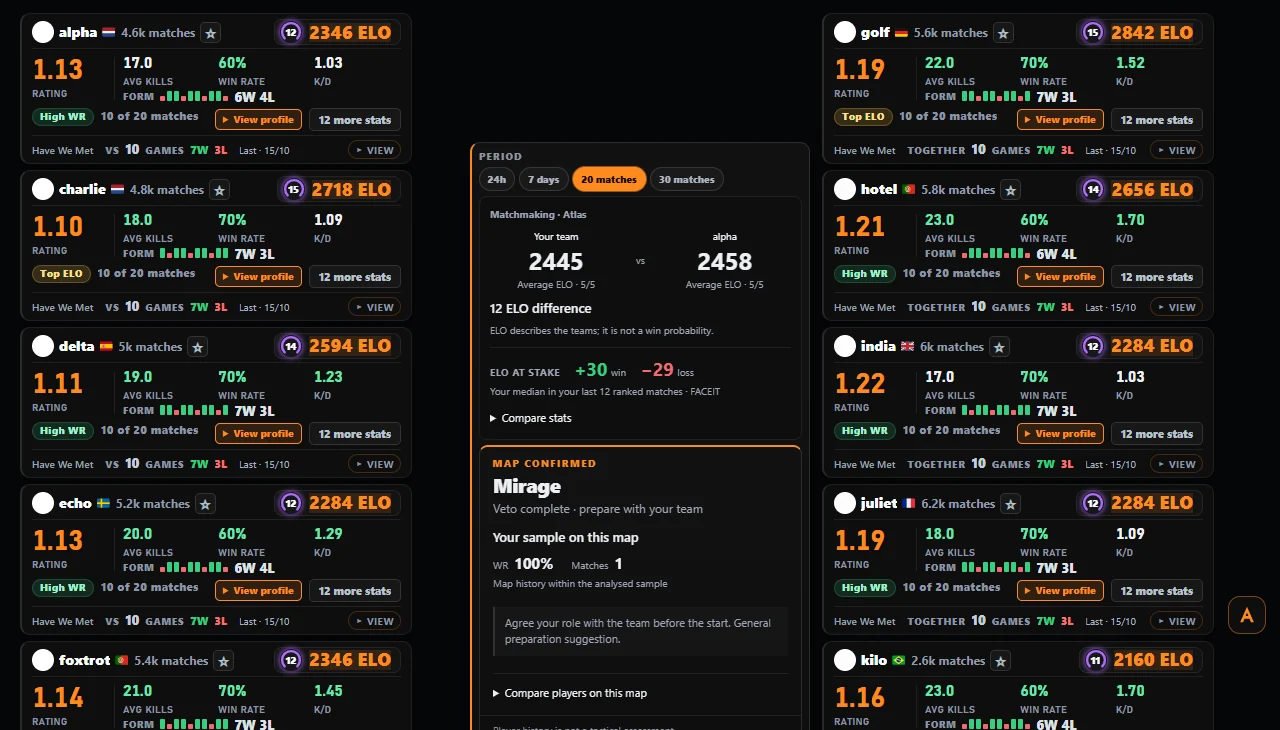
As soon as you join a match room, Atlas adds a card to each of the ten players with the numbers that say something about how they play:
- ELO and level, with the matches played
- Recent form — wins and losses in the selected window (24 hours, 7 days, 20 or 30 matches)
- K/D, average kills, ADR and headshot %
- The official FACEIT Rating, read from FACEIT's own match data, including the CT and T side split
- Have We Met — how many matches you've already played with or against that player, stored only in your browser
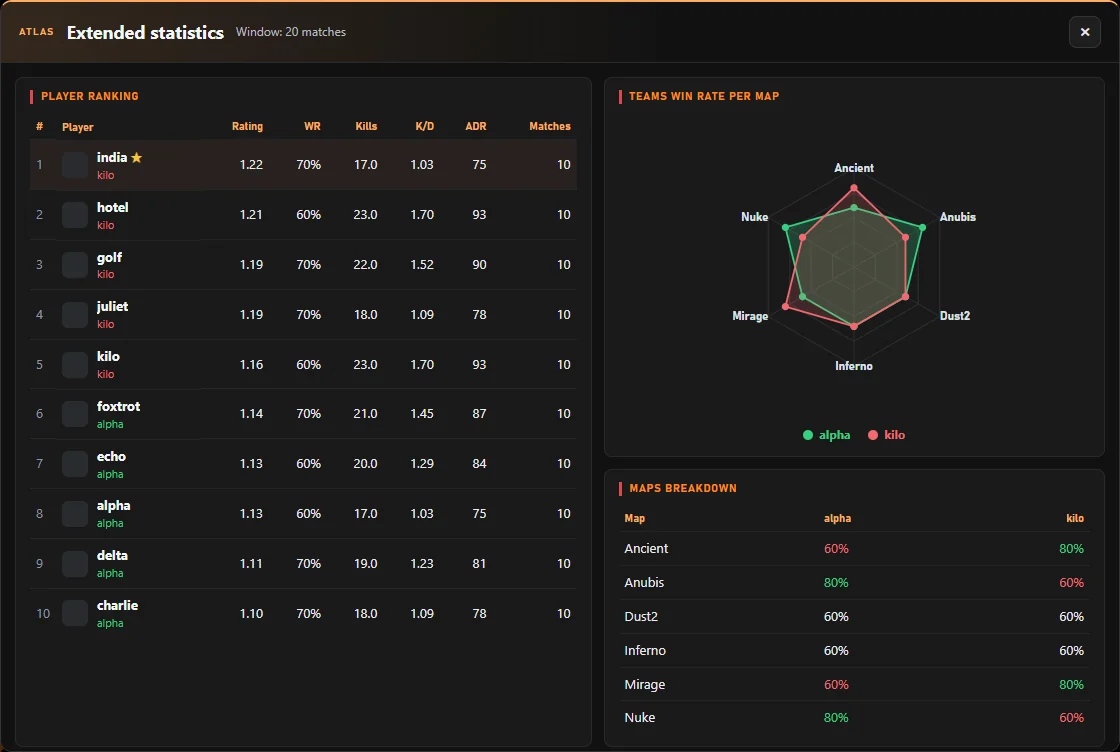
Extended match stats
One click on Extended stats opens a ranking of all ten players, each team's win rate map by map and a map radar, so you can compare the two lineups at a glance.
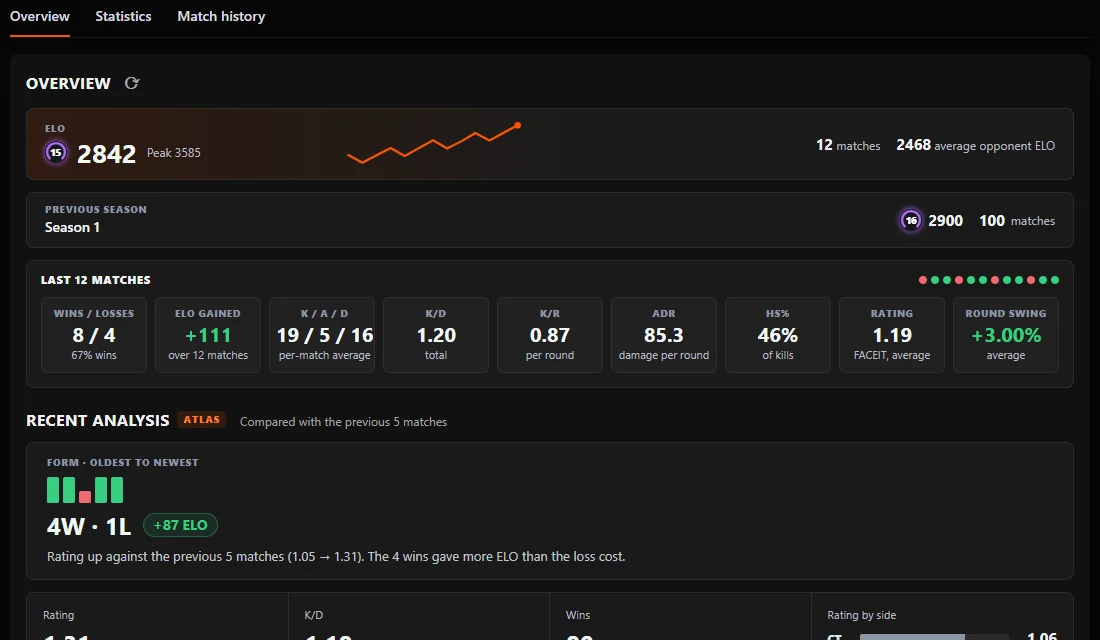
Any profile, inside FACEIT's Overview tab
On a FACEIT player profile, Atlas adds an overview to FACEIT's own Overview tab: current and peak ELO, the previous season, and the last 30 matches with wins and losses, ELO gained, K/A/D, K/D, K/R, ADR, HS% and rating. Below it, a short read of recent form compared with the matches before, and the player's progression and rank in their country and region from FACEIT's ranking. Hover any match in FACEIT's history to see its scoreboard.
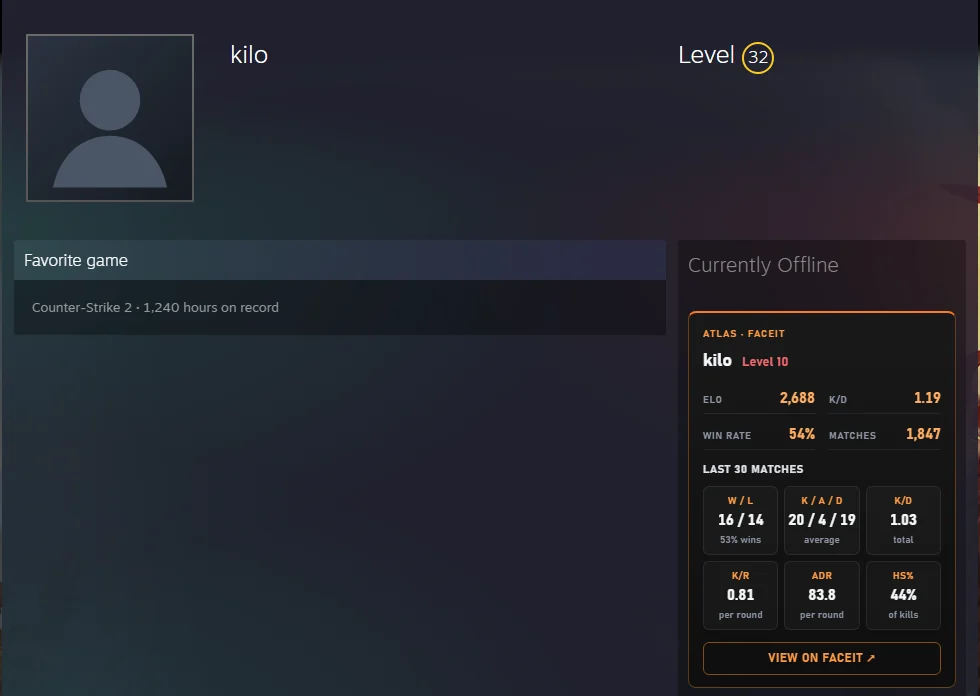
The FACEIT account behind a Steam profile
Open a Steam Community profile and Atlas shows the FACEIT CS2 account linked to it — level, ELO, K/D, win rate, matches and the last 30 matches — with a link to the FACEIT profile. It only runs on the profile page itself and can be switched off in the options.
Where the numbers come from
Everything comes from FACEIT: the official FACEIT Data API (through Atlas's own server, which keeps the API key off your device) and the match pages you already have open. When FACEIT hasn't published a number yet, Atlas says so instead of guessing.
How to use it
- Add Atlas for FACEIT to Chrome from the Chrome Web Store.
- Open any FACEIT CS2 match room, lobby or player profile.
- The cards appear by themselves. Use the period selector to switch between 24 hours, 7 days, 20 or 30 matches.
Questions
Does Atlas show stats for my opponents too?
Yes. Every player in the match room gets a card — your team and the other team.
Is the FACEIT Rating official?
Yes. Atlas reads the per-match FACEIT Rating that FACEIT itself shows on its scoreboards, including the CT and T side ratings, and labels it as FACEIT's.
Does it work on Steam profiles?
Yes. On a Steam Community profile page Atlas shows the linked FACEIT CS2 account. You can turn this off in the options.