All ten players in one look
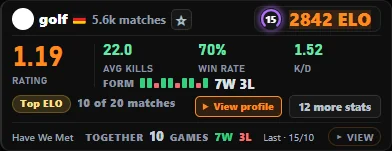
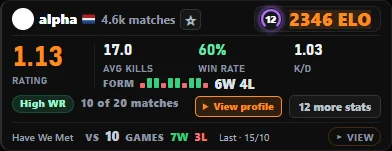
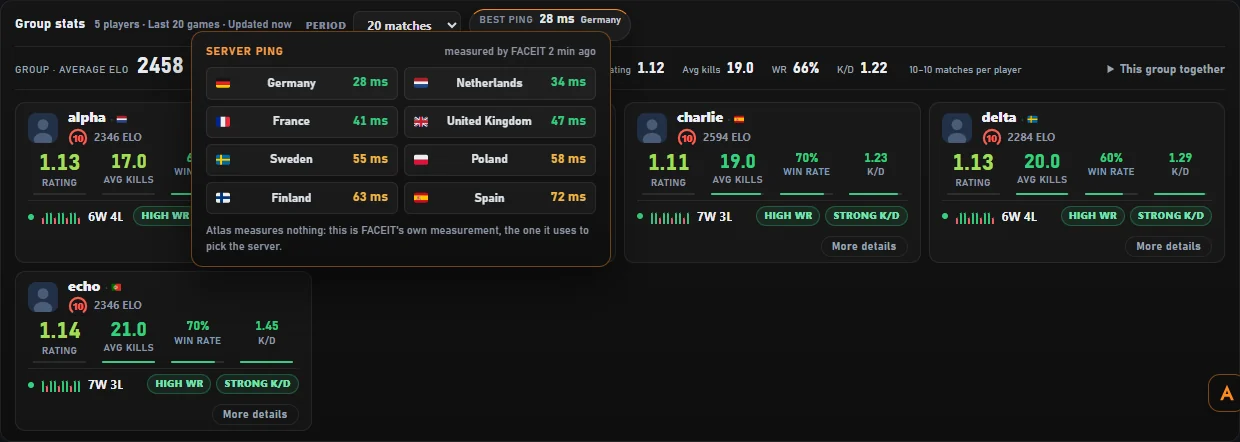
Every card shows the numbers that actually tell you something — not a wall of stats.
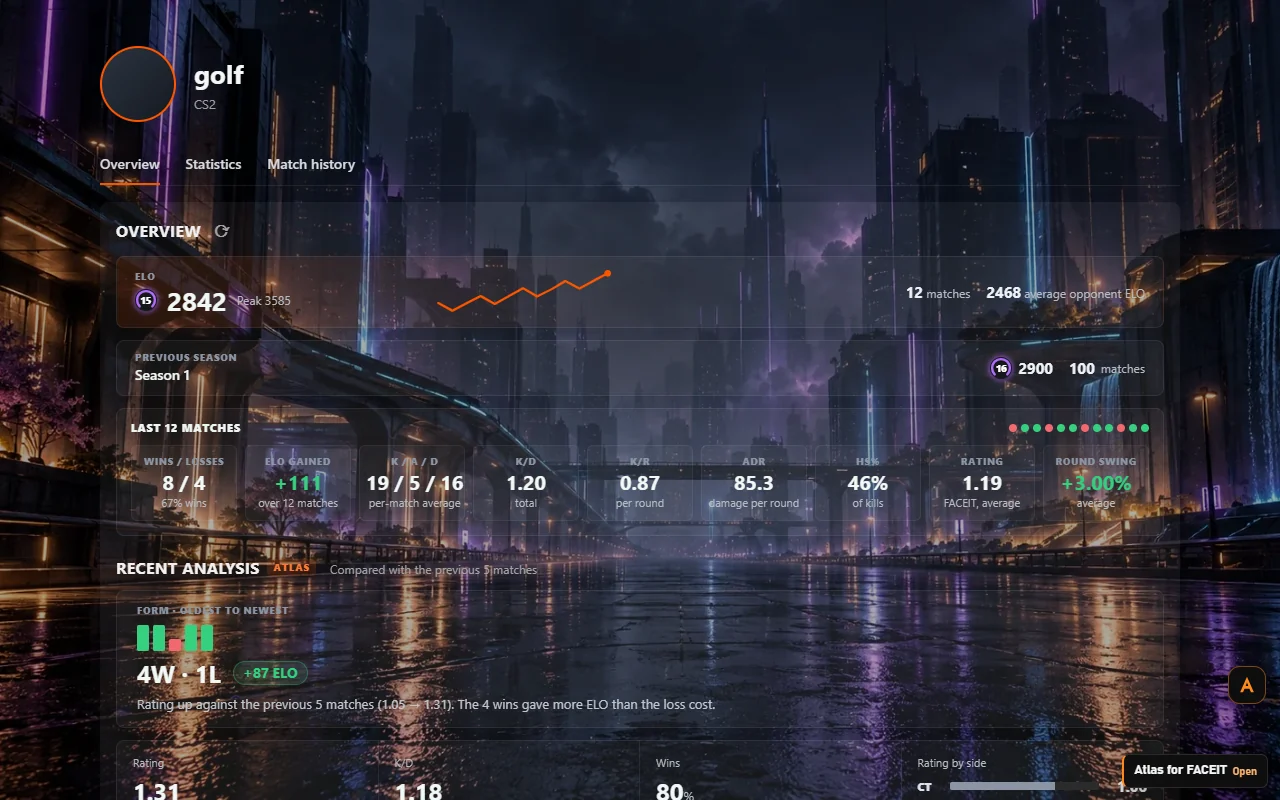
- ELO, level, recent form and win rate
- K/D, ADR, headshot % and average kills
- The official FACEIT Rating, split by CT and T side
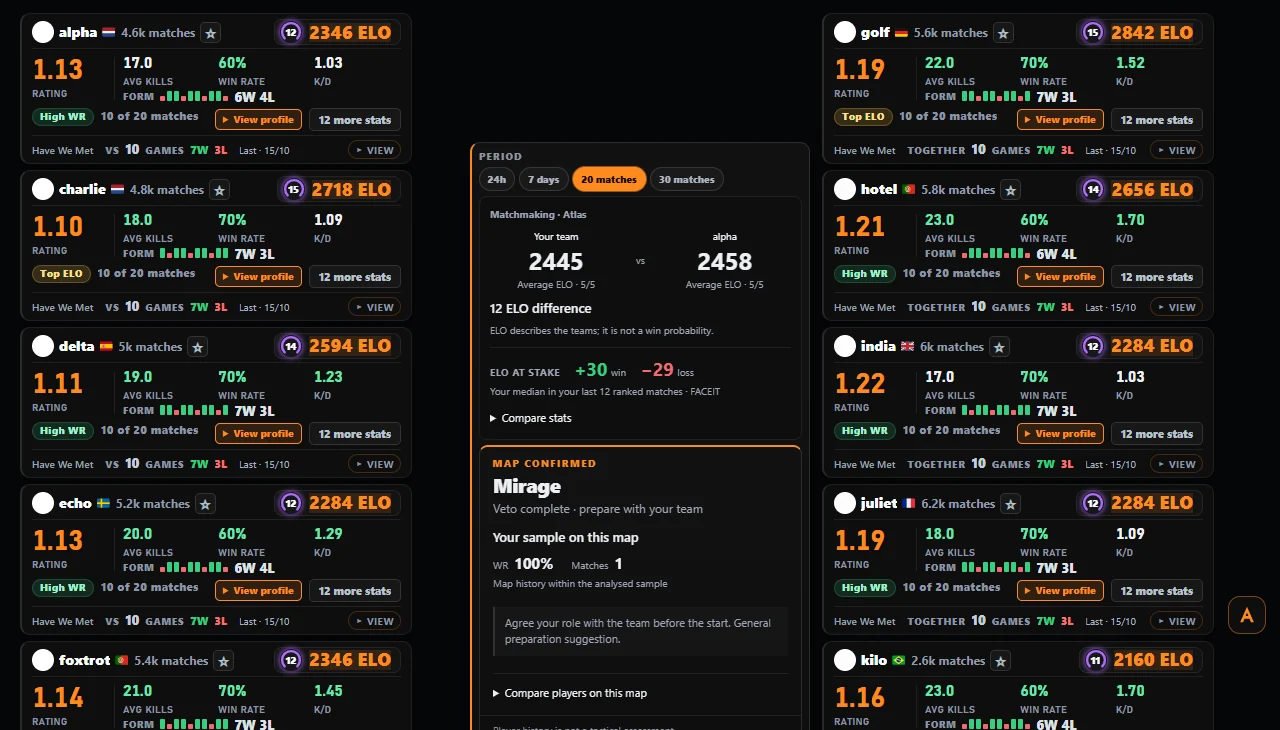
Atlas for FACEIT is a free Chrome extension that puts real stats for all ten players, map veto calls and FACEIT's own ping measurement right inside your FACEIT match room. No account, and it never guesses a number.
players read the moment you join the room
last matches on every profile, with ELO gained
maps compared for both teams before the veto
trackers, ads or accounts. None.
Atlas reads what FACEIT already knows and lays it out where you play. Scroll through it.
Every card shows the numbers that actually tell you something — not a wall of stats.
How both teams actually play every map in the pool, and a clear call when it's your turn to ban or vote.
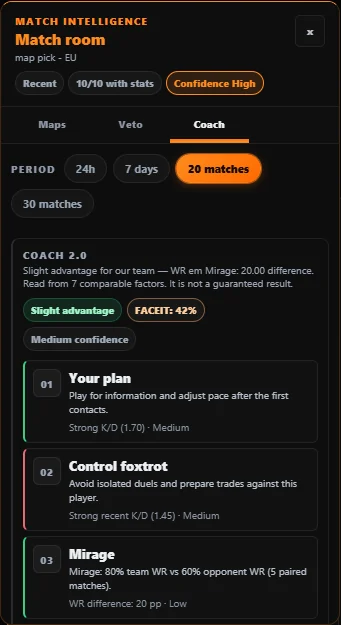
Not a formula. Atlas measures what a win and a loss have actually been worth to you in your last ranked matches.
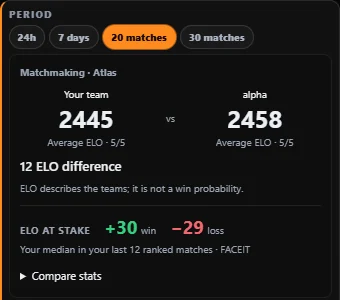
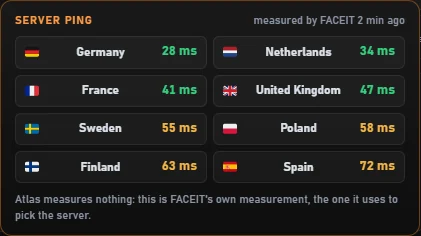
Atlas sends no pings of its own. It shows the measurement FACEIT already makes in your browser — the one it uses to pick your server.
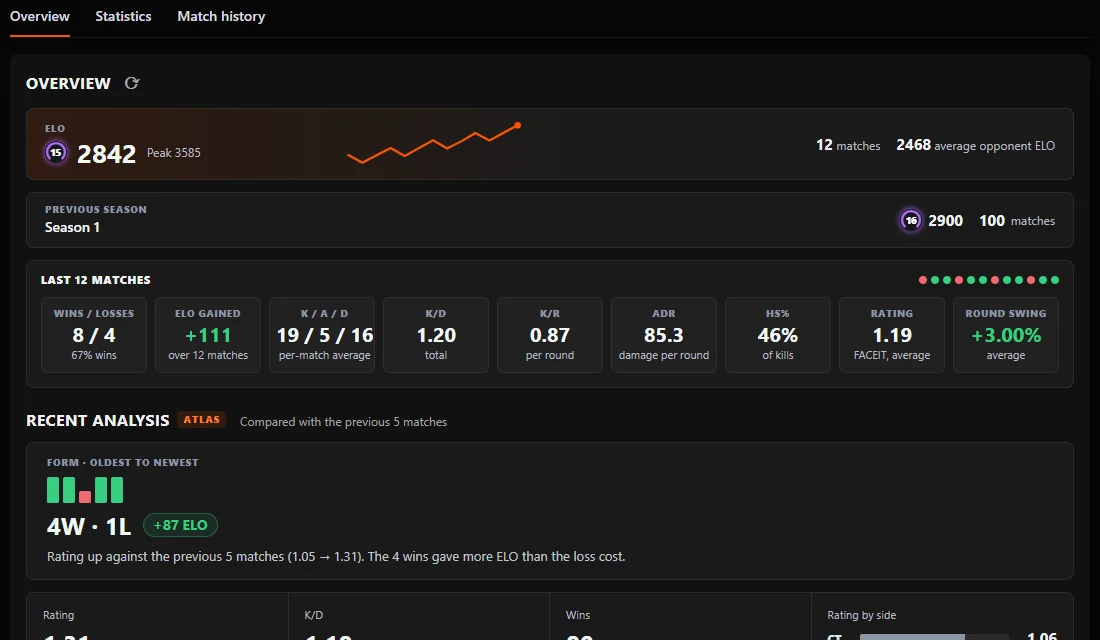
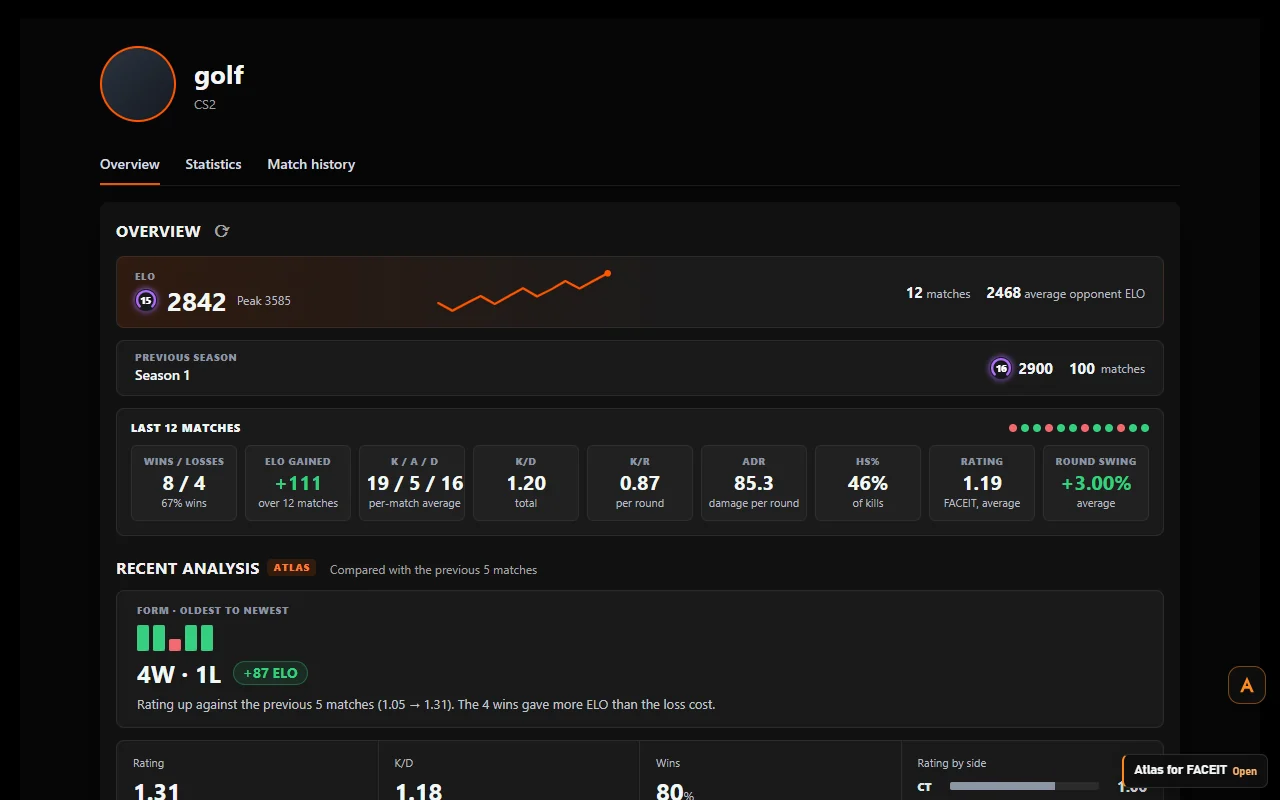
Right inside the profile's Overview tab: the last 30 matches, ELO gained, form and how far each player is from Challenger.
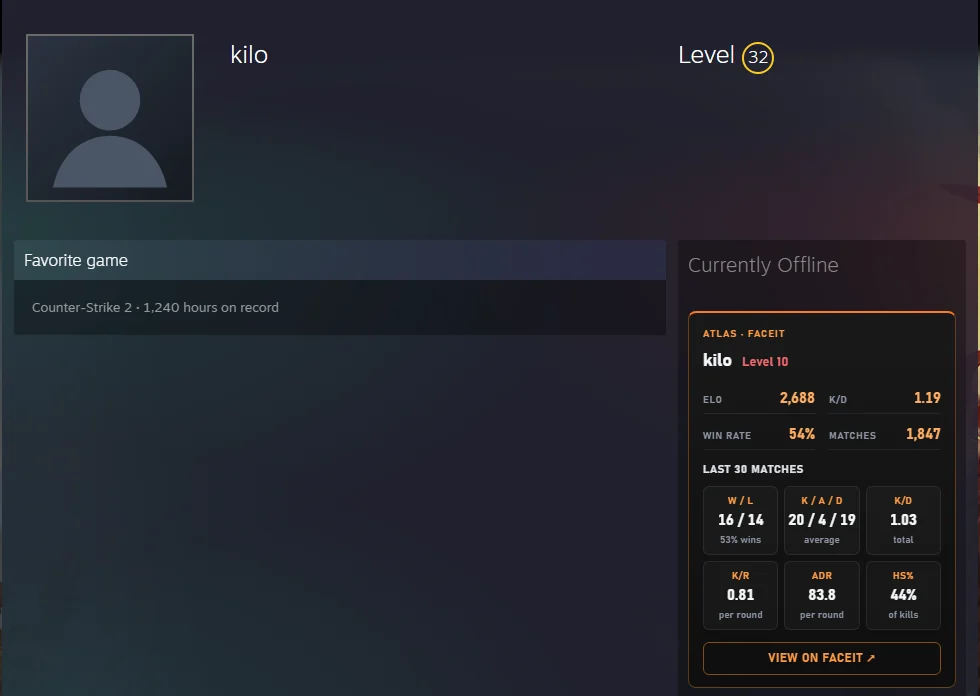
Open any Steam Community profile and see the FACEIT CS2 account linked to it, with a link straight to it.
Maps fall one by one. Atlas tells you which one to throw away and which one to keep.
Ban Anubis · keep Mirage
The ping FACEIT measured, colour-coded, with how old the measurement is.
measured by FACEIT · 2 min ago
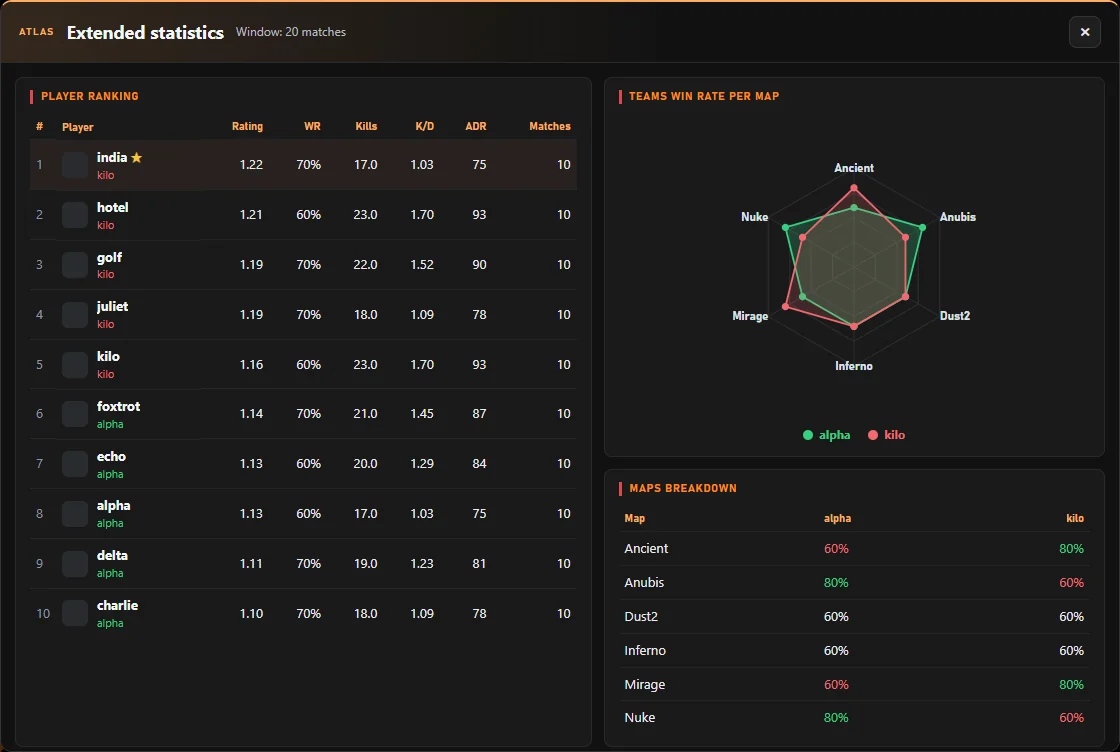
All ten players ranked, each team's win rate map by map, and a map radar.
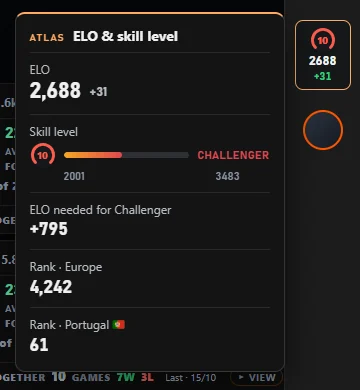
How far you are from Challenger, and your rank in your region and country.
Tag players, write notes and see who you've already played with. All of it stays in your browser.
Each one is off until you switch it on, and acts on the page exactly like your own click.
English or Portuguese, themes, accent colours, density, card size, streamer mode and focus mode.
Pick one of six built-in wallpapers or use an image from your PC. Darken it to keep everything readable, choose the pages it shows on. The image never leaves your computer.
A stat that looks precise but was made up is worse than no stat. When FACEIT hasn't published something, Atlas tells you — it never fills the gap with a guess.
No account, no login, no analytics, no ads. Here's exactly where data goes.
Everything personal stays here and never leaves.
A tiny relay that keeps the FACEIT API key off your device.
The official source for public match and player stats.
Install Atlas from the Chrome Web Store. Works in Chrome, Edge, Brave, Opera and Opera GX.
Atlas appears by itself in the match room, the lobby and every player profile. Nothing to set up.
Tune what each card shows, switch the language, pick a background — or just leave it as it is.
Atlas for FACEIT is a free Chrome extension for Counter-Strike 2 players on FACEIT. It adds real player stats, ELO at stake, map win rates and veto help, and FACEIT's own server ping to the match room, lobby and player profiles, and shows the FACEIT account behind a Steam profile.
Yes. No premium tier, no ads, no affiliate links. It's an independent project made by a FACEIT player.
Open the Chrome Web Store listing, click Add to Chrome and confirm. Then open FACEIT — Atlas appears by itself in the match room, the lobby and on player profiles. There's nothing to sign up for.
Yes. Atlas is built for Counter-Strike 2 on FACEIT: the match room, the matchmaking lobby and CS2 player profiles.
Atlas is a browser extension: it only runs on FACEIT web pages (and Steam profiles). It never touches CS2, your game files or the FACEIT anti-cheat client — it reads and adds to web pages, like any other extension.
No. Atlas for FACEIT is independent and not affiliated with FACEIT, Valve or Steam. It uses FACEIT's official public API.
No. Install it and open FACEIT. You can optionally tell Atlas your FACEIT nickname in the options so it always knows which team is yours.
From FACEIT itself: the official Data API, the match pages you already have open, and the ping measurement FACEIT makes in your browser. If FACEIT hasn't published a number, Atlas says so.
Chrome and any Chromium browser that installs from the Chrome Web Store, like Microsoft Edge, Brave, Opera and Opera GX.
Only from the official Chrome Web Store listing linked on this site. Chrome installs it and keeps it updated automatically. Don't install copies from other websites.
They're all off by default. When you switch one on, it clicks the same buttons you would on the FACEIT page — nothing more. You can turn each one off at any time.
No. The image is packed with the extension or stored in your browser, so there are no extra downloads — and it sits behind the page on its own layer.
Use the contact page: it opens an email with a short template (Atlas version, browser, page and what happened). Every report is read.

Free, no account, and live in ten seconds. See who you're really playing with.
Add to Chrome — free